

This guide covers AI Session Analyzer on HTTP Proxy resources, where each HTTP request is analyzed individually. For ad-hoc terminal sessions (Web App terminal &
hoop exec CLI), see the AI Session Analyzer configuration guide. For the conceptual overview, see the AI Session Analyzer guide.Prerequisites
- Either create an account in our managed instance or deploy your own hoop.dev instance
- Admin access to your hoop.dev instance
- A valid AI provider account and API key
- An HTTP Proxy resource with an agent assigned
- The
experimental.http_session_analyzerfeature flag enabled for your org (see Step 1)
Step 1: Enable the Feature Flag
Per-request analysis of HTTP Proxy traffic is gated behind a feature flag:- Go to Organization > Settings > Experimental.
- Toggle
experimental.http_session_analyzerto On.
The flag is per-org and defaults to off. Without it, AI Session Analyzer rules are ignored for HTTP Proxy resources — requests pass through unanalyzed.
Step 2: Configure the AI Provider
In the Web App, open the Discover section in the main sidebar and select AI Session Analyzer, then open the Configure tab.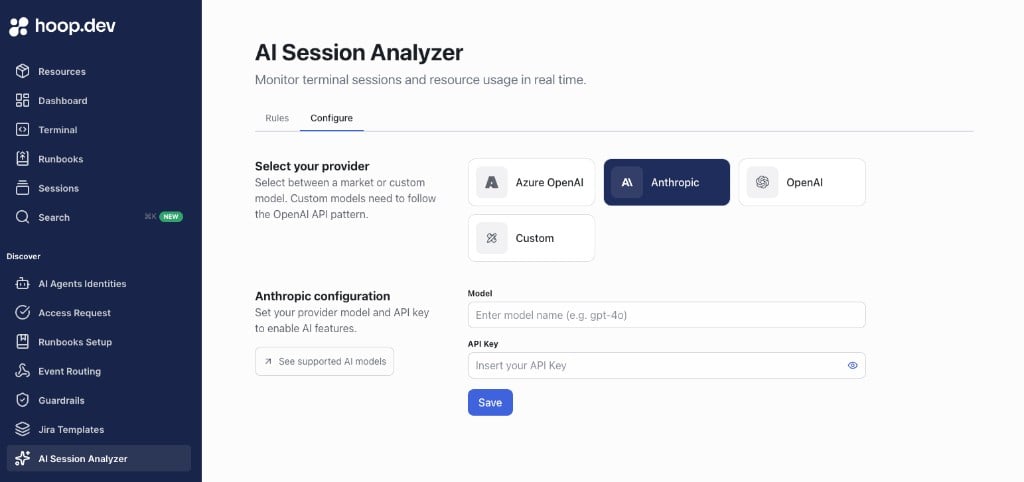
- Select one provider:
- Azure OpenAI
- OpenAI
- Anthropic
- Custom (OpenAI-compatible API)
- Enter the AI model
- Enter the API key
- Click Save
Configuration saved.
Step 3: Create the Rule
In AI Session Analyzer > Rules: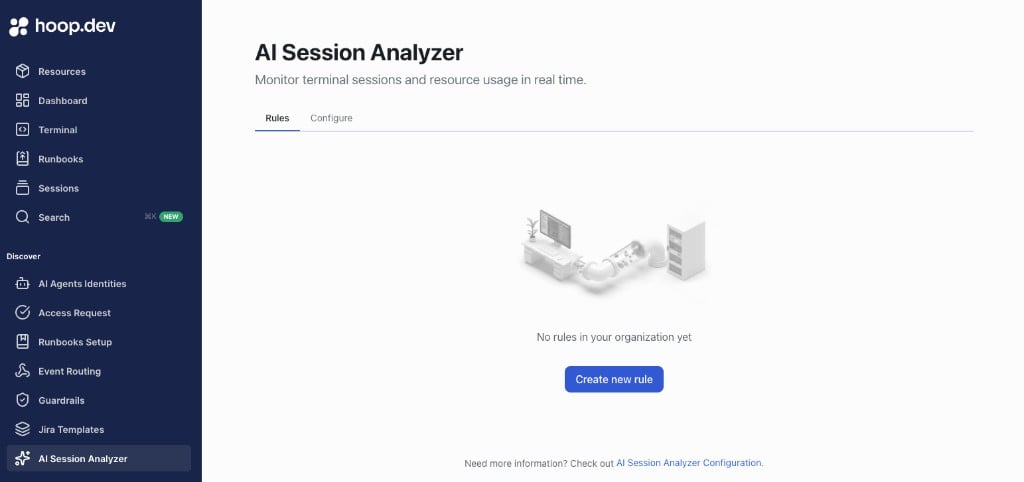
- Click Create new rule
- Add a Name and optional Description
- In the rule scope, select your HTTP Proxy resource. A resource can belong to only one rule — saving fails if another rule already covers it.
- Select the action for each risk level (Low, Medium, High): allow execution or block execution
- Save the rule
Step 4: Send Traffic Through the Proxy
Point your client at the HTTP Proxy resource and send requests. Each request (method, path, and body) is evaluated in real time using your configured provider and rule.Step 5: Verify the Result
- Allowed requests are forwarded to the upstream and the analyzer verdict appears in the session details.
- Blocked requests receive an HTTP
403 Forbiddenresponse with a JSON body describing the risk level, the triggered rule, and an explanation. The proxy session stays open — the block applies to that request only, and the next request is analyzed independently. - Requests matching a Require access request tier are forwarded with a warning verdict recorded in the session details.
How HTTP Analysis Differs from Terminal Sessions
Troubleshooting
Requests Are Not Being Analyzed
Check:experimental.http_session_analyzeris enabled for your org- The AI provider is configured and saved in the Configure tab
- A rule exists and its scope includes the HTTP Proxy resource
- The resource type is HTTP Proxy — a TCP resource tunnels opaque bytes and cannot be analyzed
Risky Requests Pass with Only a Warning
The rule tier for that risk level is set to Require access request, which does not block on HTTP resources. Change the tier action to Block execution.Save Is Blocked
Check:- All required fields are filled
- The rule name is unique in your organization
- No other rule already includes the selected resource