

This guide covers ad-hoc sessions (Web App terminal &
hoop exec CLI). For per-request analysis on HTTP Proxy resources, see AI Session Analyzer for HTTP Proxy. For the conceptual overview, see the AI Session Analyzer guide.Prerequisites
- Either create an account in our managed instance or deploy your own hoop.dev instance
- Have admin access to your hoop.dev instance
- A valid AI provider account and API key
Configure the AI Provider
In the Web App, open the Discover section in the main sidebar and select AI Session Analyzer, then open the Configure tab.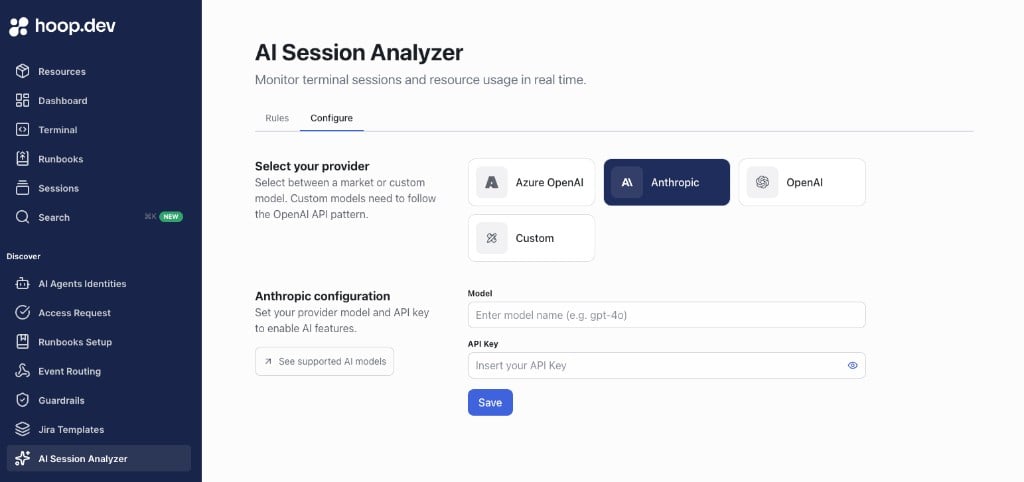
- Select one provider:
- Azure OpenAI
- OpenAI
- Anthropic
- Custom (OpenAI-compatible API)
- Enter the AI model
- Enter the API key
- Click Save
Configuration saved.
Create the First Rule
In AI Session Analyzer > Rules: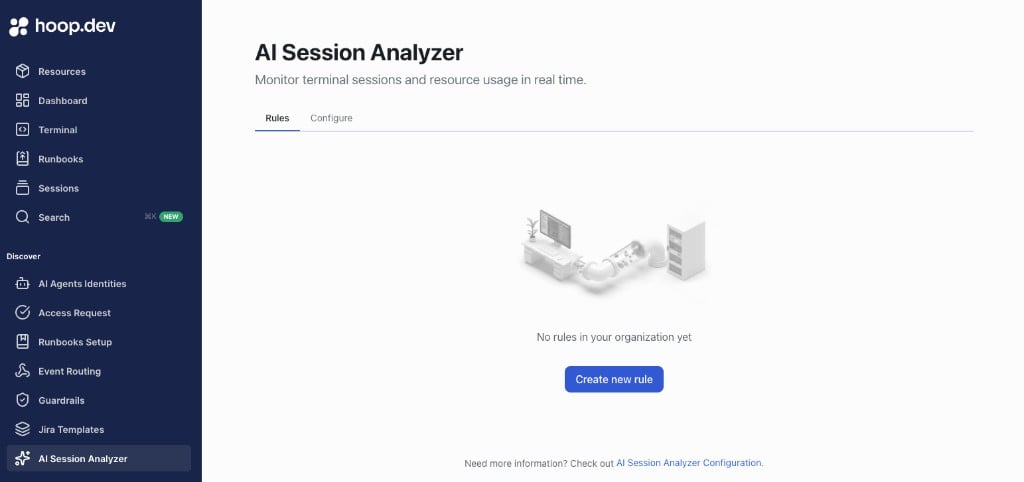
- Click Create new rule
- Add a Name and optional Description
- Configure rule scope (roles and attributes)
- Select risk action behavior (for example, allow or block)
- Save the rule
Run a Command in Terminal
Open a terminal session and run a command. The command is evaluated in real time using your configured provider and rules.Verify the Result
Confirm the resulting action and risk status in the terminal and in session details.Troubleshooting
Rules Tab Is Empty
Check:- Configure tab was completed first
- Provider, model, and API key are valid
- Configuration was saved successfully
Save Is Blocked
Check:- All required fields are filled
- API key is valid for selected provider/model
- Custom provider fields are complete (if using OpenAI-compatible API)
Analyzer Not Applying Rules in Session
Check:- At least one rule exists and is active
- Rule scope (roles/attributes) matches the current session
- Commands are running in Web Terminal where analyzer status is shown