

require_approval), the Control Plane posts an approval request to Slack. An approver clicks Approve or Reject in the message. hoop finds the hoop user behind the Slack user by email and checks that user’s groups.
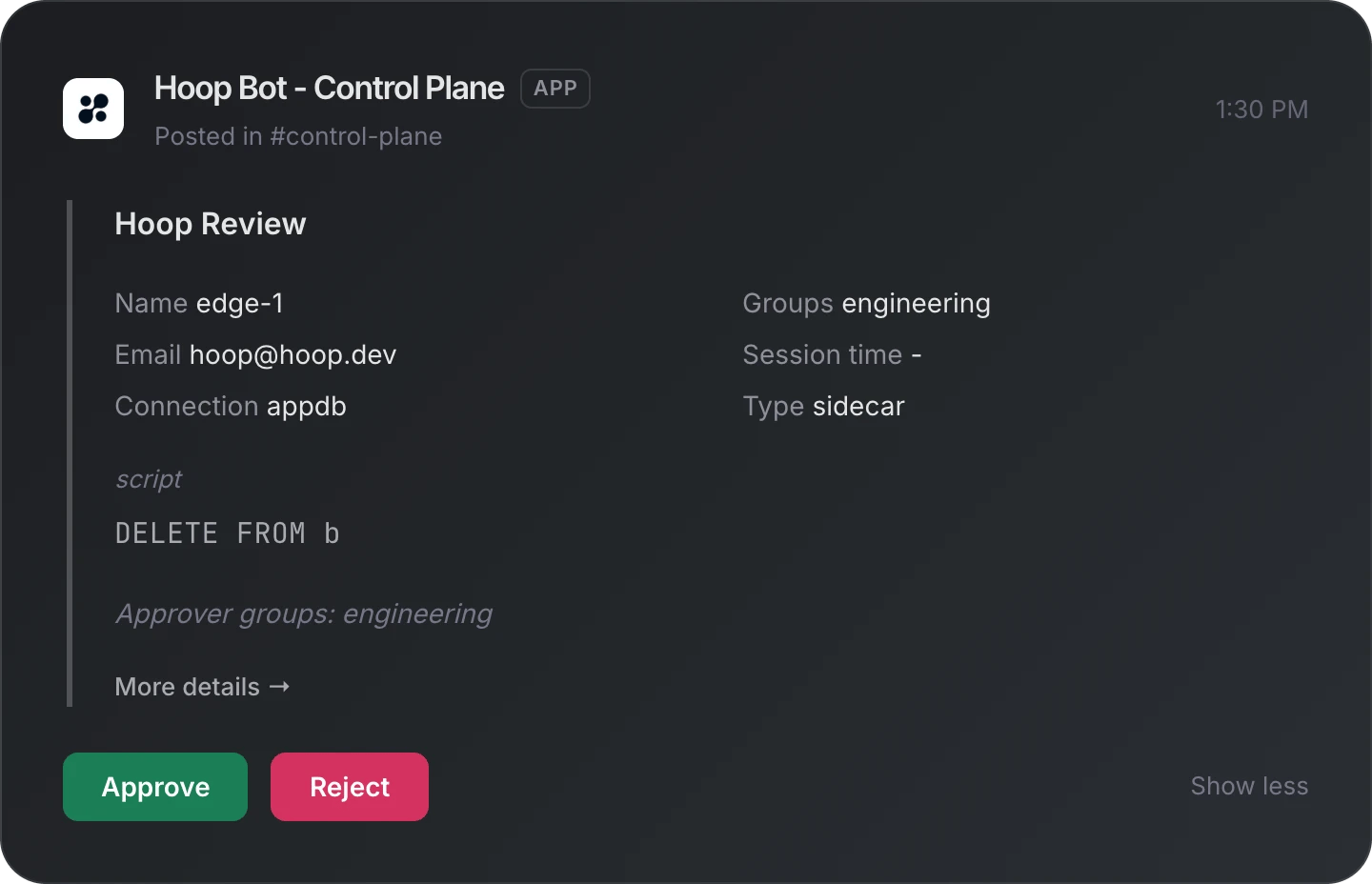
A held statement in Slack. The approver sees who ran it, on which connection, and the exact statement.
This page is for the Control Plane. For the Gateway, see Slack.
How it works
- Approvers are hoop users. Their groups come from your identity provider at each login.
- Channels are per listener. A listener without channels uses the fallback channel.
- Socket Mode. The Control Plane dials out to Slack. No inbound URL is exposed.
Requirements
- Permission to create a Slack app and install it in your workspace.
- An admin user on the Control Plane.
- One Slack app for this Control Plane only. Slack sends each click to any open connection of the app. A Gateway or a second Control Plane on the same app token takes clicks that are not theirs.
- One Control Plane replica with Slack configured. See Replicas and Deployment Strategy.
1. Create the Slack app
1
Create the app from a manifest
Open a new Slack app from an app manifest, choose the workspace and paste this manifest.
slack-manifest.json
slack-manifest.json
2
Install it
Click Install to Workspace. Then open OAuth & Permissions and copy the Bot User OAuth Token (
xoxb-…).3
Create the app-level token
Open Basic Information → App-Level Tokens → Generate Token and Scopes. Name it
hoop, add the scope connections:write, and copy the token (xapp-…).4
Prepare the channels
Choose a fallback channel, and optionally one channel per listener. For a private channel, invite the bot: type
/invite @Hoop Bot in the channel.hoop takes channel IDs, not names. Open the channel details and copy the Channel ID at the bottom (C0…).2. Configure the Control Plane
1
Save the tokens
Go to Settings → Slack → Configurations. Paste the Slack bot token and the Slack app token. Optionally set the Fallback channel: it receives the approval requests of listeners with no channel. Click Save.The Control Plane log shows
connected to Slack with Socket Mode.2
Choose a channel per listener
Open the Listeners tab. It lists every listener of every Sidecar. Type the channel IDs in a listener’s row and click Save on that row.A listener with no channel posts to the fallback channel. With neither, the approval request is filed but nobody is notified in Slack, and the Control Plane logs a warning.
3. Give approvers their groups
An approver is a hoop user in a group the rule names. The groups come from the login:- With an identity provider (OIDC or SAML): each login replaces the user’s groups with the ones the provider sends. OIDC keeps the admin group; SAML does not. For OIDC, set
IDP_GROUPS_CLAIMto the claim that holds them. See Identity provider. - With local auth, or a login that sends no groups: set the groups on Settings → Users.
U…).
4. Name the approvers on the rule
Go to AI Analyzer and open the rule. Set a risk level to Hold for approval, then pick the groups in Approvers. The list shows every group of the organization. One approval from any of them releases the statement. While held for approval picks how the client waits: for the decision, or denied at once to run the statement again after approval. See Return mode for agents. Time to decide and Time to use an approval limit how long the approval request stays open. Both are optional. See Time limits. With no group, the admin group approves. The Control Plane sets the listener’sapproval_rule to this rule for you. See Holding a statement for a person.
5. Approve in Slack
The Hoop Approval message shows the Sidecar, the listener, the statement and one button per group that may approve. Reject asks for an optional reason. More details opens the approval request on the Control Plane Approvals page, which every signed-in user can open. On a click, hoop finds the approver:- The hoop user with that Slack ID.
- Else, exactly one hoop user with the Slack user’s email.
Messages in Slack
On the approval message
Everyone in the channel sees these. They replace the buttons as the approval request changes, whether an approver acts in Slack, on the Approvals page or through the API.Only to the person who clicked
hoop checks a click in this order and answers with the first check that fails. Reject asks for the reason before these checks run, so a refused approver sees the answer after sending the reason. The Slack user
The hoop user
The group
The approval request
Troubleshooting
- No message in Slack. The listener has no channel and there is no fallback, a channel ID is wrong, the bot is not in the private channel, or the log lacks
connected to Slack with Socket Mode. - A click does nothing, or answers “You are not registered”. Another server uses the same app token, usually a Gateway. Give the Control Plane its own app.
- Each approval request arrives twice. Two Control Plane replicas run with Slack configured. Run one.
- An approver is refused after joining a group. hoop reads groups at login. The approver logs in again.
Differences from the Gateway
The Sidecar reports a statement, not a person, so the requester is unknown. Compared with the Gateway:- No
/hoop subscribe: hoop matches the Slack user by email. - Channels are set per listener, not per connection.
- No message to the requester, no requester groups and no self-approval check.