> ## Documentation Index
> Fetch the complete documentation index at: https://mintlify.hoop.dev/docs/llms.txt
> Use this file to discover all available pages before exploring further.
# Okta
## Requirements
* An [account in OKTA](https://developer.okta.com)
* `API_URL` is the public DNS name of the hoop gateway instance
Contact the administrator of the hoop gateway instance to retrieve the `API_URL` address.
## Identity Provider Configuration
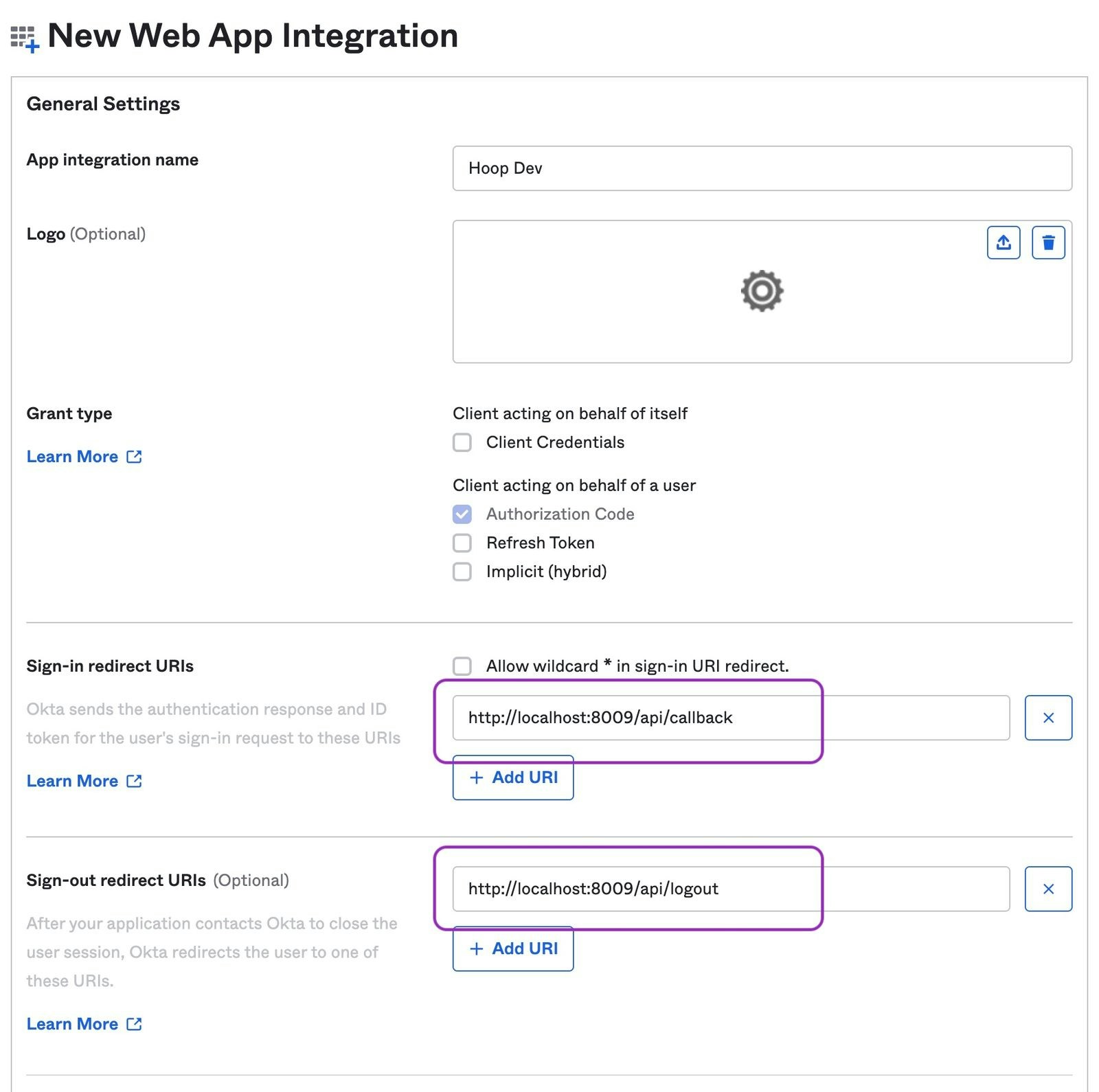
* Go to `Applications > Applications` and click on the Create App Integration button
* In Sign-in Method, select OIDC - OpenID Connect
* In Application type, select Web Application
* Signin redirect URIs: `{API_URL}/api/callback`
* Signout redirect URIs: `{API_URL}/api/logout`
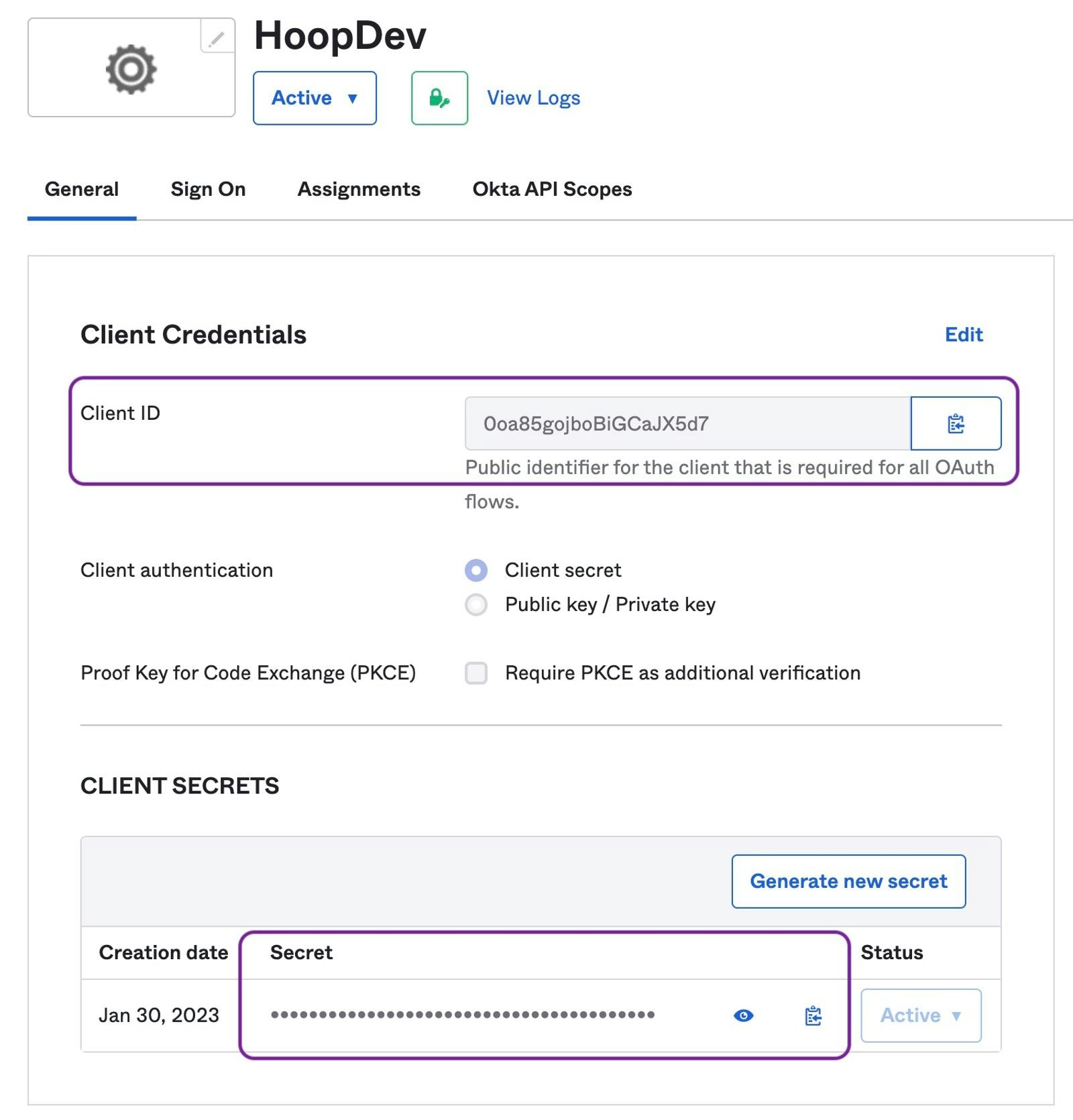
 * In the Application Home copy the **Client ID** and **Client Secret**
 * The Issuer URI depends on the authorization server being used. Refer to [this documentation](https://developer.okta.com/docs/concepts/auth-servers/#available-authorization-server-types).
If Okta does not allow external applications to validate access tokens, add the query string option `_userinfo=1` when configuring the Gateway. It indicates to use the user info endpoint.
The \_userinfo value is removed when used to exchange information with the identity provider.
## Configuring Groups
Explains how to configure groups claim to propagate when users sign in.
Refer to [Okta's Documentation](https://developer.okta.com/docs/guides/customize-tokens-groups-claim/main/#add-a-groups-claim-for-the-org-authorization-server) for more information.
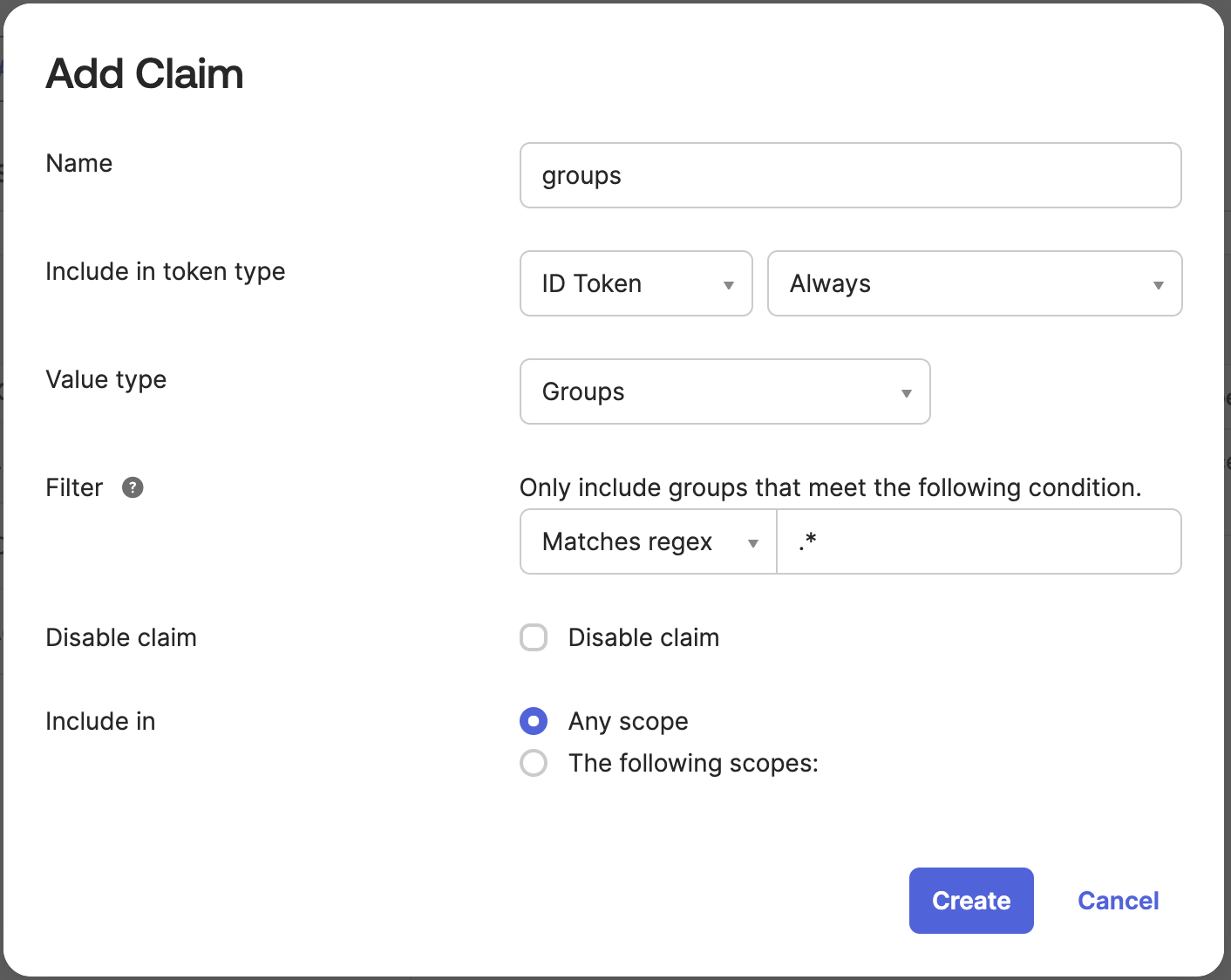
* Go to `Security > API > {authorization server} > Claims`
* Click on `Add Claims` button
Add the `groups` claim for the ID Token to any scope (image below)
* The Issuer URI depends on the authorization server being used. Refer to [this documentation](https://developer.okta.com/docs/concepts/auth-servers/#available-authorization-server-types).
If Okta does not allow external applications to validate access tokens, add the query string option `_userinfo=1` when configuring the Gateway. It indicates to use the user info endpoint.
The \_userinfo value is removed when used to exchange information with the identity provider.
## Configuring Groups
Explains how to configure groups claim to propagate when users sign in.
Refer to [Okta's Documentation](https://developer.okta.com/docs/guides/customize-tokens-groups-claim/main/#add-a-groups-claim-for-the-org-authorization-server) for more information.
* Go to `Security > API > {authorization server} > Claims`
* Click on `Add Claims` button
Add the `groups` claim for the ID Token to any scope (image below)
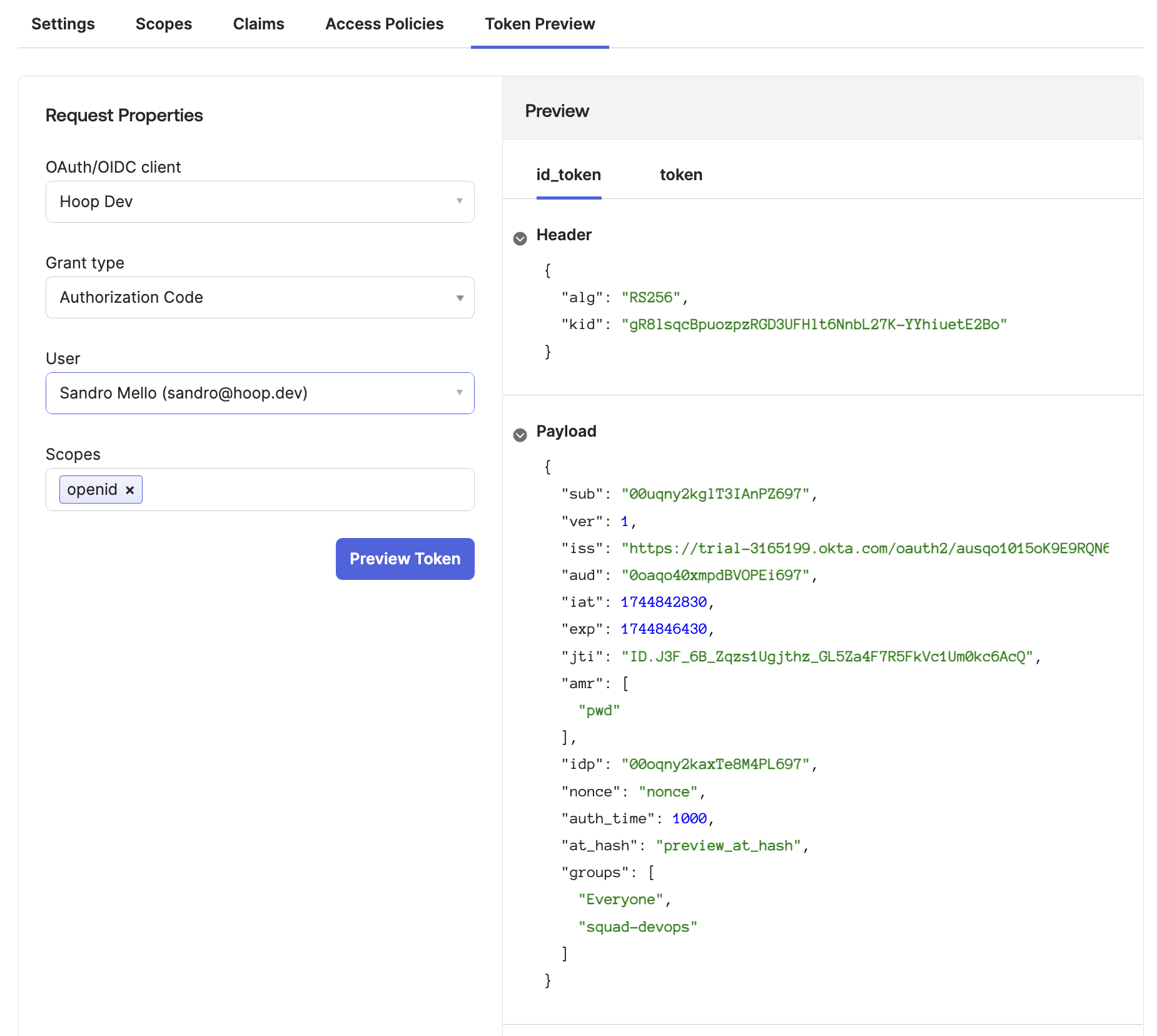
 This step validate if the configuration is returning the `groups` claim properly
* Go to `Token Preview` tab
* Select the Hoop Application
* Select the Grant Type as `Authorization Code`
* Select a user associated with this application
* Add the scope `openid`
The payload must appear with a claim named `groups` containing the groups associated with your application (image below)
This step validate if the configuration is returning the `groups` claim properly
* Go to `Token Preview` tab
* Select the Hoop Application
* Select the Grant Type as `Authorization Code`
* Select a user associated with this application
* Add the scope `openid`
The payload must appear with a claim named `groups` containing the groups associated with your application (image below)
 Please note that the `groups` claim **will not be present when a user has no group assignments**.
Hoop synchronizes group information only when this attribute is configured.
To prevent potential issues, ensure each user is assigned to at least one default group.
The Hoop gateway requires proper configuration to correctly map claim names for synchronization.
For detailed instructions, please consult the [OAuth2/OIDC Authentication Documentation](/setup/configuration/env-vars)
Please note that the `groups` claim **will not be present when a user has no group assignments**.
Hoop synchronizes group information only when this attribute is configured.
To prevent potential issues, ensure each user is assigned to at least one default group.
The Hoop gateway requires proper configuration to correctly map claim names for synchronization.
For detailed instructions, please consult the [OAuth2/OIDC Authentication Documentation](/setup/configuration/env-vars)