> ## Documentation Index
> Fetch the complete documentation index at: https://mintlify.hoop.dev/docs/llms.txt
> Use this file to discover all available pages before exploring further.
# Webhooks / SIEM
> Forward session events to external systems using runbook hooks.
## Runbook Hooks
The recommended way to integrate Hoop with external systems — SIEMs, alerting pipelines, audit platforms — is through **runbook hooks**. Hook scripts live in your runbooks git repository and execute automatically when session events occur, with the full event payload available as an environment variable.
Runbook hooks require version 1.36.11+ and the [Runbooks plugin](/setup/configuration/runbooks-configuration) configured with a git repository.
### How It Works
Place hook scripts in a `hoop-hooks/` directory in your runbooks repository. Hoop executes the matching script automatically when the corresponding event fires, injecting the event payload as `HOOP_RUNBOOK_HOOK_PAYLOAD`.
| File | Event | Description |
| ------------------------------------- | ------------- | ---------------------------------------------------------------------------------------------- |
| `hoop-hooks/session-open.runbook.py` | Session open | Fires when a session starts. May fire more than once if the resource role has reviews enabled. |
| `hoop-hooks/session-close.runbook.py` | Session close | Fires when a session ends. |
### Enabling Hooks
Set `GIT_HOOK_CONFIG_TTL` in your runbooks plugin configuration. This activates hook support and controls how long (in seconds) the configuration is cached between git fetches. See the [Runbooks configuration guide](/setup/configuration/runbooks-configuration) for full setup instructions.
Use a higher TTL if your hook scripts change infrequently — this reduces the number of requests to your git server.
### Event Payload
The `HOOP_RUNBOOK_HOOK_PAYLOAD` environment variable contains a JSON object with session context. The `event_session_open` or `event_session_close` attribute is populated depending on which event fired.
```json theme={"dark"}
{
"id": "7b769f42-a8a2-45cb-b0a1-e2d039385365",
"sid": "8c59a347-62bd-4db2-a456-2b25963dfebf",
"command": ["python3"],
"event_session_open": {
"verb": "connect",
"connection_name": "pg-readonly",
"connection_type": "database",
"connection_subtype": "postgres",
"user_email": "user@domain.tld",
"connection_reviewers": [],
"input": "SELECT * FROM customers WHERE id = 1"
},
"event_session_close": {
"exit_code": 0,
"output": ""
}
}
```
### Forwarding Events to a SIEM
The example below shows a session-close hook that forwards the event payload to an external endpoint — a SIEM, a logging pipeline, or any HTTP receiver.
```python theme={"dark"}
# hoop-hooks/session-close.runbook.py
import json, os, subprocess
payload = os.getenv('HOOP_RUNBOOK_HOOK_PAYLOAD')
event = json.loads(payload)
subprocess.run([
'curl', '-s', '-X', 'POST', 'https://your-siem.example.com/events',
'-H', 'Content-Type: application/json',
'-H', 'Authorization: Bearer ',
'-d', payload
], check=True)
print('Forwarded session {} to SIEM'.format(event['sid']))
```
For more on writing and configuring runbooks, see the [Runbooks configuration guide](/setup/configuration/runbooks-configuration).
***
## Svix Integration
The Svix webhook integration is deprecated. Use [Runbook Hooks](#runbook-hooks) instead.
 ### Prerequisites
* Finish [integration with Svix](/integrations/svix)
* [Hoop CLI](/clients/cli) installed
* Admin access to your Hoop instance
* Enterprise Plan
### Configuring
Log in and create the `webhooks` plugin:
```bash theme={"dark"}
hoop login
hoop admin create plugin webhooks
```
Then enable it for a specific resource role:
```bash theme={"dark"}
hoop admin create plugin webhooks --overwrite --connection bash-default
```
### Dashboard
Open the Svix dashboard to configure endpoints and subscriptions:
```bash theme={"dark"}
hoop admin webhooks-dashboard
```
The dashboard is only available with Svix SaaS and can only be opened by administrators.
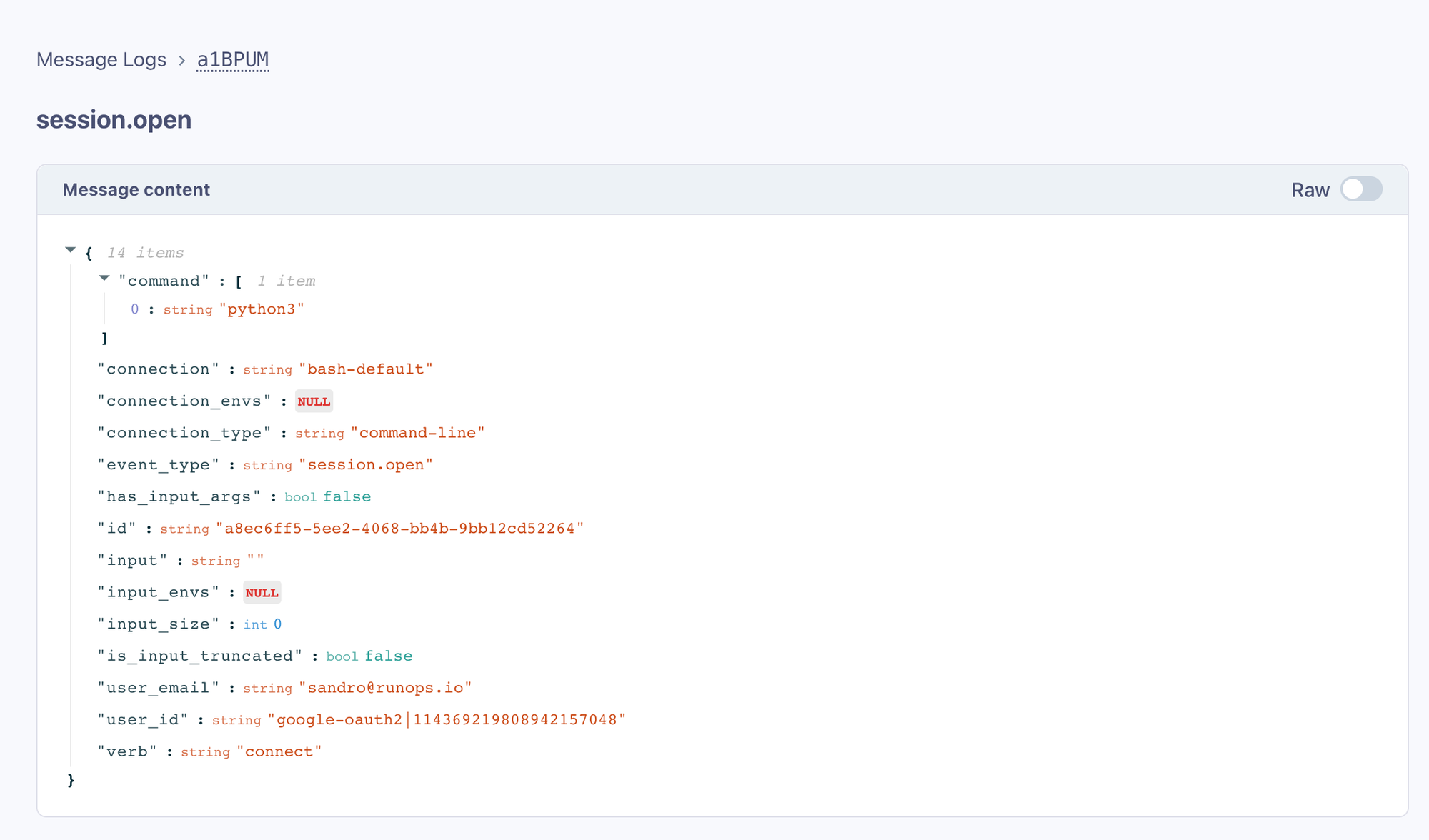
To view activity, interact with any resource role. The **Message Logs** link shows all resource role events.
### Prerequisites
* Finish [integration with Svix](/integrations/svix)
* [Hoop CLI](/clients/cli) installed
* Admin access to your Hoop instance
* Enterprise Plan
### Configuring
Log in and create the `webhooks` plugin:
```bash theme={"dark"}
hoop login
hoop admin create plugin webhooks
```
Then enable it for a specific resource role:
```bash theme={"dark"}
hoop admin create plugin webhooks --overwrite --connection bash-default
```
### Dashboard
Open the Svix dashboard to configure endpoints and subscriptions:
```bash theme={"dark"}
hoop admin webhooks-dashboard
```
The dashboard is only available with Svix SaaS and can only be opened by administrators.
To view activity, interact with any resource role. The **Message Logs** link shows all resource role events.
 #### Adding Endpoints
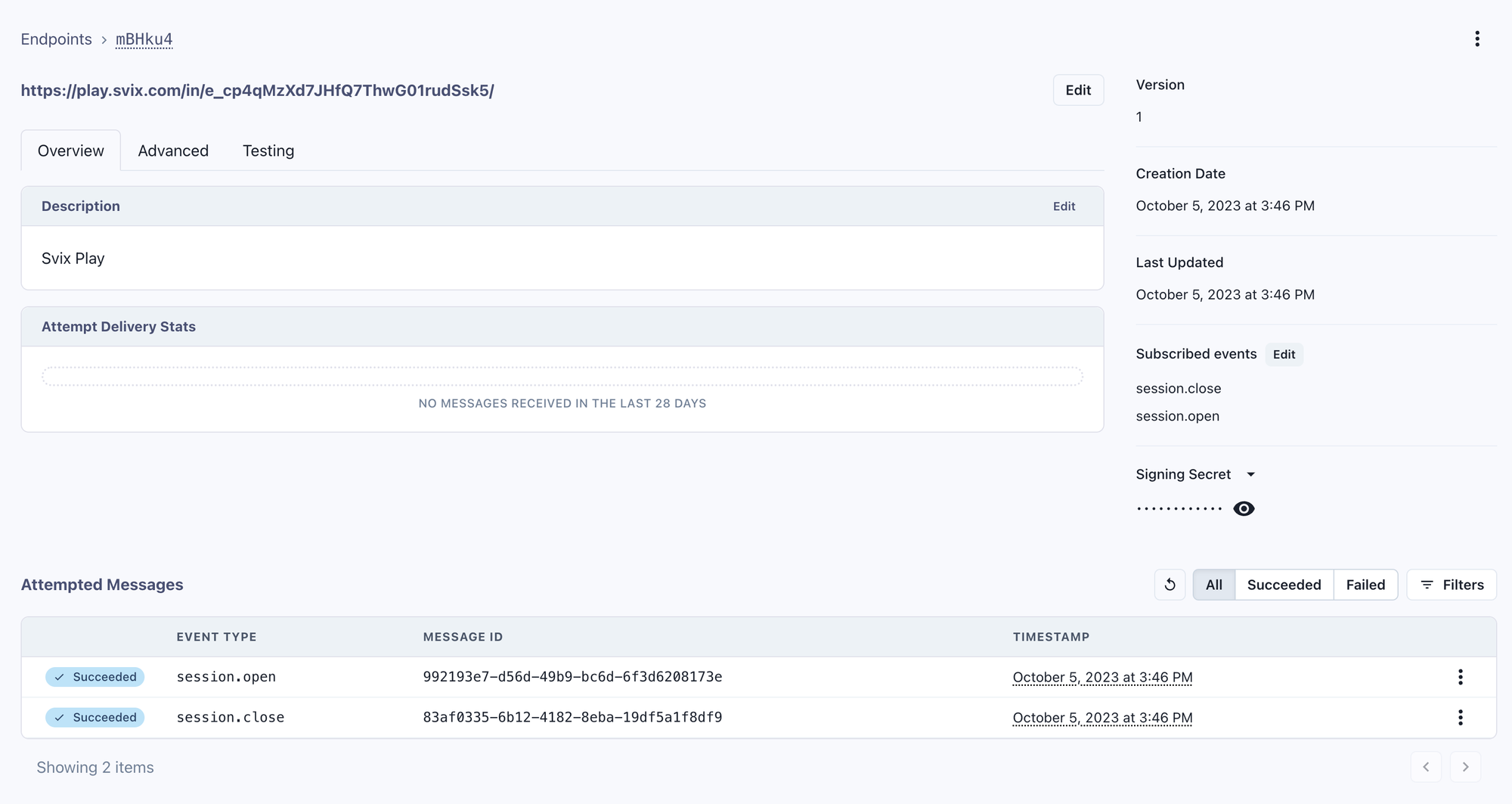
Click **Endpoints** to route messages to your SIEM.
Adding endpoints to a self-hosted Svix instance requires the [Svix CLI](https://docs.svix.com/tutorials/cli) or API.
#### Adding Endpoints
Click **Endpoints** to route messages to your SIEM.
Adding endpoints to a self-hosted Svix instance requires the [Svix CLI](https://docs.svix.com/tutorials/cli) or API.
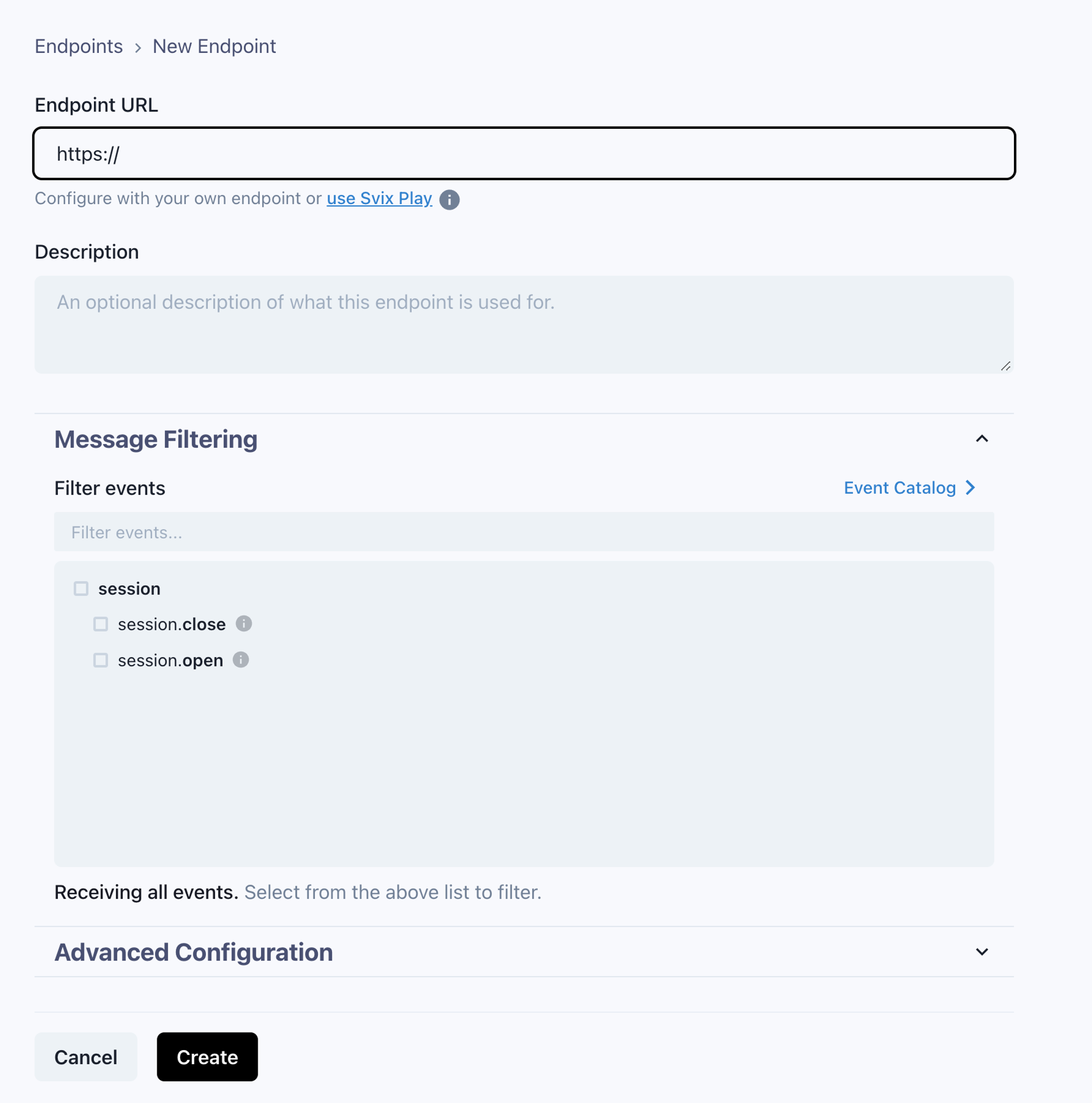 Use [Svix Play](https://play.svix.com/) to test endpoints before wiring up production systems.
 #### Event Types
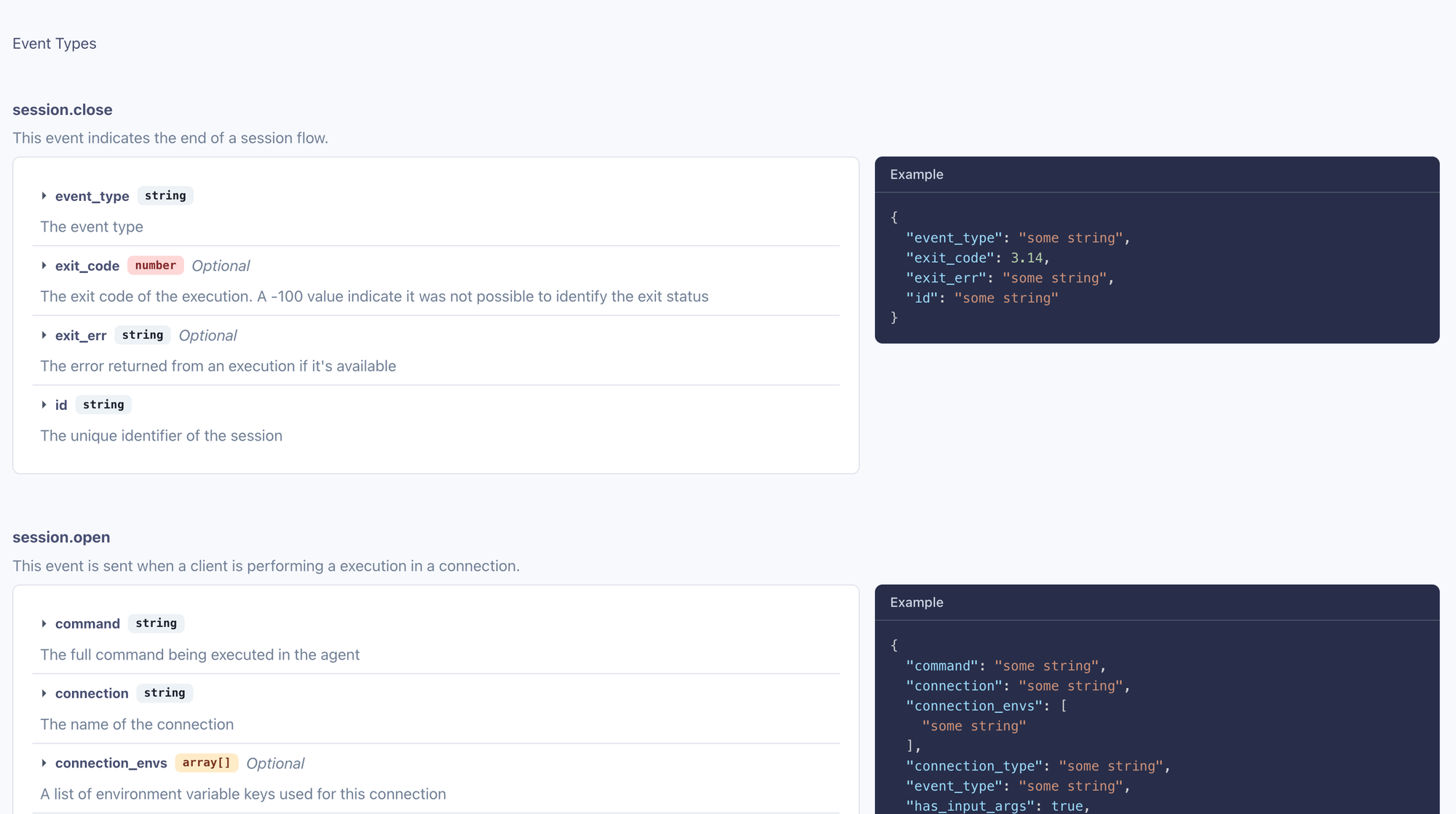
Refer to the **Event Catalog** link in the dashboard for event definitions.
#### Event Types
Refer to the **Event Catalog** link in the dashboard for event definitions.
 ### Consuming Webhooks
Refer to the [Svix documentation](https://docs.svix.com/receiving/introduction) for guidelines on secure verification and consumption of webhooks.
### Svix Self-Hosted
For self-hosted installations, manage Svix resources directly via the Svix CLI or the Hoop CLI wrappers.
#### Event Types
| Event Name | Description |
| ------------------------------ | ---------------------------------------------- |
| `dbroles.job.finished` | Fires when a database user role is provisioned |
| `microsoftteams.review.create` | Fires when a review is created |
| `session.open` | Fires when a session or review is opened |
| `session.close` | Fires when a session ends |
Create event types with:
```sh theme={"dark"}
hoop admin create svixeventtype session.open --description 'Sent when a session or access request is created'
hoop admin create svixeventtype session.close --description 'Sent when a session finishes'
hoop admin create svixeventtype dbroles.job.finished --description 'Sent when a database role is provisioned'
```
#### Endpoints
```sh theme={"dark"}
# Create an endpoint
hoop admin create svixendpoint \
--description 'My main endpoint' \
--url https://play.svix.com/in/e_f1q1l3Dk8HzjA2bcWA7E6CeyMuL/
# Update an endpoint with event filters
hoop admin create svixendpoint ep_ \
--overwrite \
--filters session.open,session.close \
--description 'My main endpoint' \
--url https://play.svix.com/in/e_f1q1l3Dk8HzjA2bcWA7E6CeyMuL/
# List endpoints
hoop admin get svixendpoint
```
```
ID DESCRIPTION DISABLED VERSION FAIL PENDING SENDING SUCCESS FILTERS AGE
ep_2vY7... My main endpoint false 1 0 0 0 3 session.open 46m ago
```
#### Messages
```sh theme={"dark"}
# List delivery attempts
hoop admin get svixmsg
# Filter by endpoint
hoop admin get svixmsg -q endpoint_id=ep_2vY... -q limit=100
```
```
ID ATTEMPTID TRIGGER STATUS STATUSCODE AGE
msg_2vY... atmpt_2vY7... scheduled success 204 45m ago
msg_2vY... atmpt_2vY7... scheduled success 204 46m ago
```
### Consuming Webhooks
Refer to the [Svix documentation](https://docs.svix.com/receiving/introduction) for guidelines on secure verification and consumption of webhooks.
### Svix Self-Hosted
For self-hosted installations, manage Svix resources directly via the Svix CLI or the Hoop CLI wrappers.
#### Event Types
| Event Name | Description |
| ------------------------------ | ---------------------------------------------- |
| `dbroles.job.finished` | Fires when a database user role is provisioned |
| `microsoftteams.review.create` | Fires when a review is created |
| `session.open` | Fires when a session or review is opened |
| `session.close` | Fires when a session ends |
Create event types with:
```sh theme={"dark"}
hoop admin create svixeventtype session.open --description 'Sent when a session or access request is created'
hoop admin create svixeventtype session.close --description 'Sent when a session finishes'
hoop admin create svixeventtype dbroles.job.finished --description 'Sent when a database role is provisioned'
```
#### Endpoints
```sh theme={"dark"}
# Create an endpoint
hoop admin create svixendpoint \
--description 'My main endpoint' \
--url https://play.svix.com/in/e_f1q1l3Dk8HzjA2bcWA7E6CeyMuL/
# Update an endpoint with event filters
hoop admin create svixendpoint ep_ \
--overwrite \
--filters session.open,session.close \
--description 'My main endpoint' \
--url https://play.svix.com/in/e_f1q1l3Dk8HzjA2bcWA7E6CeyMuL/
# List endpoints
hoop admin get svixendpoint
```
```
ID DESCRIPTION DISABLED VERSION FAIL PENDING SENDING SUCCESS FILTERS AGE
ep_2vY7... My main endpoint false 1 0 0 0 3 session.open 46m ago
```
#### Messages
```sh theme={"dark"}
# List delivery attempts
hoop admin get svixmsg
# Filter by endpoint
hoop admin get svixmsg -q endpoint_id=ep_2vY... -q limit=100
```
```
ID ATTEMPTID TRIGGER STATUS STATUSCODE AGE
msg_2vY... atmpt_2vY7... scheduled success 204 45m ago
msg_2vY... atmpt_2vY7... scheduled success 204 46m ago
```