> ## Documentation Index
> Fetch the complete documentation index at: https://mintlify.hoop.dev/docs/llms.txt
> Use this file to discover all available pages before exploring further.
# Attribute-Based Access Control
> Apply policies to groups of resource roles using attributes instead of listing every resource role
 ## What You'll Accomplish
Attribute-Based Access Control (ABAC) lets you scope policies using **attributes** on resource roles. You can:
* Target many resource roles with a single rule by matching a shared attribute
* Reduce long, brittle lists of individual resource roles in policy configuration
* Keep using explicit per-resource-role assignment where that still fits your team
* Manage attributes in one place, including batch-style updates
***
## How It Works
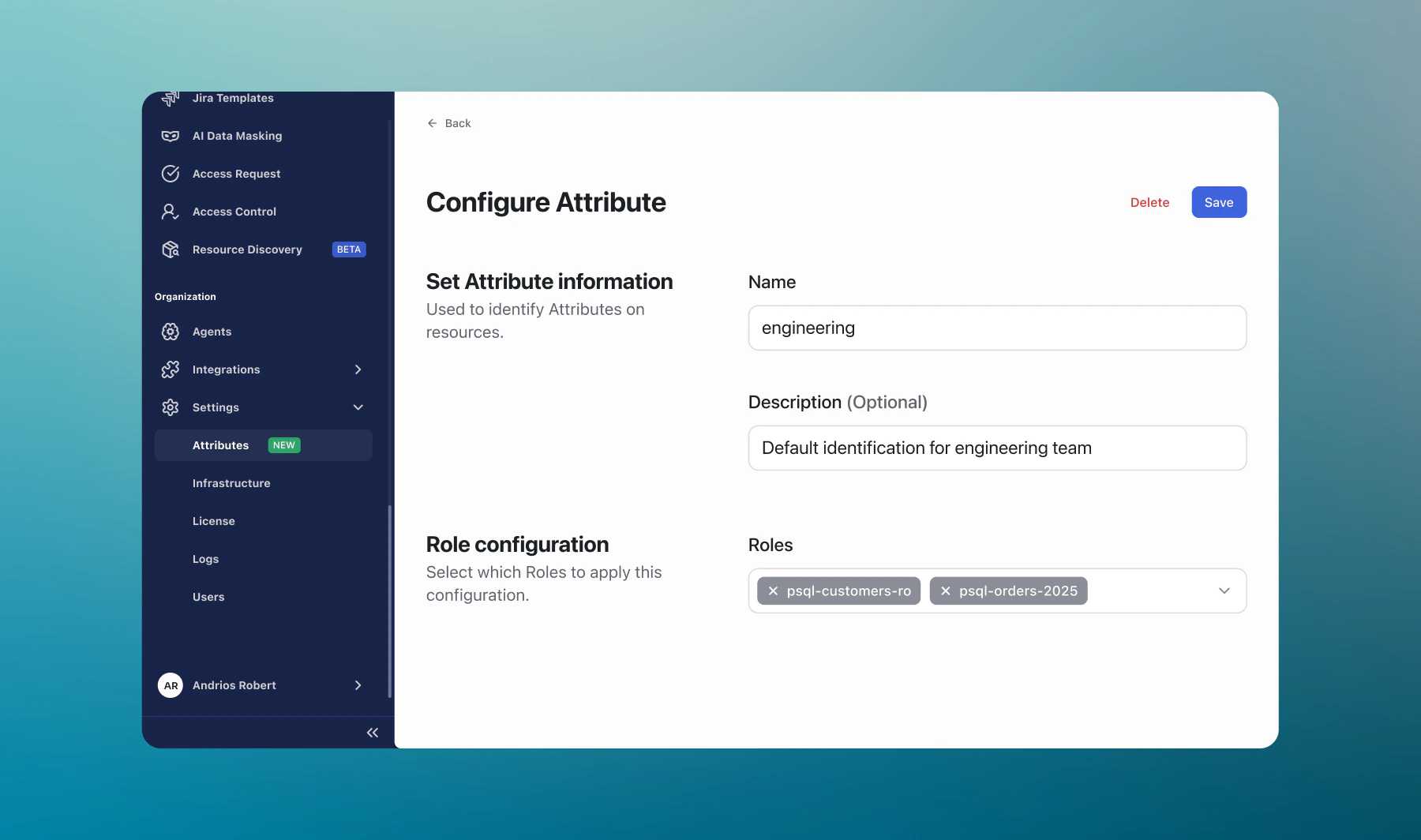
For each attribute, define what it represents and which resource roles it applies to.
When you configure a supported policy, choose attribute-based scope so one rule can match every resource role that carries that attribute.
You can still assign policies to specific resource roles directly; both approaches can be used together.
***
## Where You’ll See Attributes
| Area | What you can do |
| ------------------------- | --------------------------------------------------------------------------------------------------------------------------------------- |
| **Settings > Attributes** | Create, edit, and review attributes and which resource roles they apply to |
| **Resource roles** | Set attributes in the **Details** section of a resource role |
| **Feature configuration** | Where a feature supports it, scope rules using attributes (for example, Guardrails, Live Data Masking, Access Control, Access Requests) |
***
## Best Practices
Prefer stable, meaningful names (for example, `prod-data-store`) so rules stay understandable as teams change.
When resource roles change, update attribute assignments so policies still match the right scope.
Pilot attribute-based rules on a narrow attribute, then expand once outcomes look right in sessions and audits.
Use attribute-based scope for broad patterns and explicit resource role picks for exceptions—both can coexist.
***
Ready to set it up? The [ABAC configuration guide](/setup/configuration/abac-configuration) walks through creating attributes, scoping a feature policy by attribute, and verifying the result.
## Next Steps
Restrict who can use which resources
Block dangerous queries with pattern-based rules
Redact sensitive data in query results
Require approvals for sensitive access
## What You'll Accomplish
Attribute-Based Access Control (ABAC) lets you scope policies using **attributes** on resource roles. You can:
* Target many resource roles with a single rule by matching a shared attribute
* Reduce long, brittle lists of individual resource roles in policy configuration
* Keep using explicit per-resource-role assignment where that still fits your team
* Manage attributes in one place, including batch-style updates
***
## How It Works
For each attribute, define what it represents and which resource roles it applies to.
When you configure a supported policy, choose attribute-based scope so one rule can match every resource role that carries that attribute.
You can still assign policies to specific resource roles directly; both approaches can be used together.
***
## Where You’ll See Attributes
| Area | What you can do |
| ------------------------- | --------------------------------------------------------------------------------------------------------------------------------------- |
| **Settings > Attributes** | Create, edit, and review attributes and which resource roles they apply to |
| **Resource roles** | Set attributes in the **Details** section of a resource role |
| **Feature configuration** | Where a feature supports it, scope rules using attributes (for example, Guardrails, Live Data Masking, Access Control, Access Requests) |
***
## Best Practices
Prefer stable, meaningful names (for example, `prod-data-store`) so rules stay understandable as teams change.
When resource roles change, update attribute assignments so policies still match the right scope.
Pilot attribute-based rules on a narrow attribute, then expand once outcomes look right in sessions and audits.
Use attribute-based scope for broad patterns and explicit resource role picks for exceptions—both can coexist.
***
Ready to set it up? The [ABAC configuration guide](/setup/configuration/abac-configuration) walks through creating attributes, scoping a feature policy by attribute, and verifying the result.
## Next Steps
Restrict who can use which resources
Block dangerous queries with pattern-based rules
Redact sensitive data in query results
Require approvals for sensitive access